Vesonix Project Management turns it into a schedule, a crew plan, material needs and a billing structure — kept in sync as the project runs. Build that plan yourself, or let the built-in AI assistant draft the first pass for you.
Problem & solution
Stores keep a paper register. Billing lives in accounts. The work is connected — the information isn't.
Capabilities
These are the areas set up today — schedule, people, material, cost, billing and so on. They're examples of what's configured, not a fixed list: add a new area (inventory, documents, anything else your business runs on) the same way. Pick any one to see what it solves.
In plain terms: the full task list for the project, in order, with who's doing what and by when — the one schedule everyone works from, instead of a dozen versions in chat.
Most schedules are found late, not managed early — a task slips, nobody notices until the weekly review, and by then the date has already passed.
The critical path and the finish date recalculate from real progress, not the original plan, so a slip is visible the day it happens — not the week it's reported.
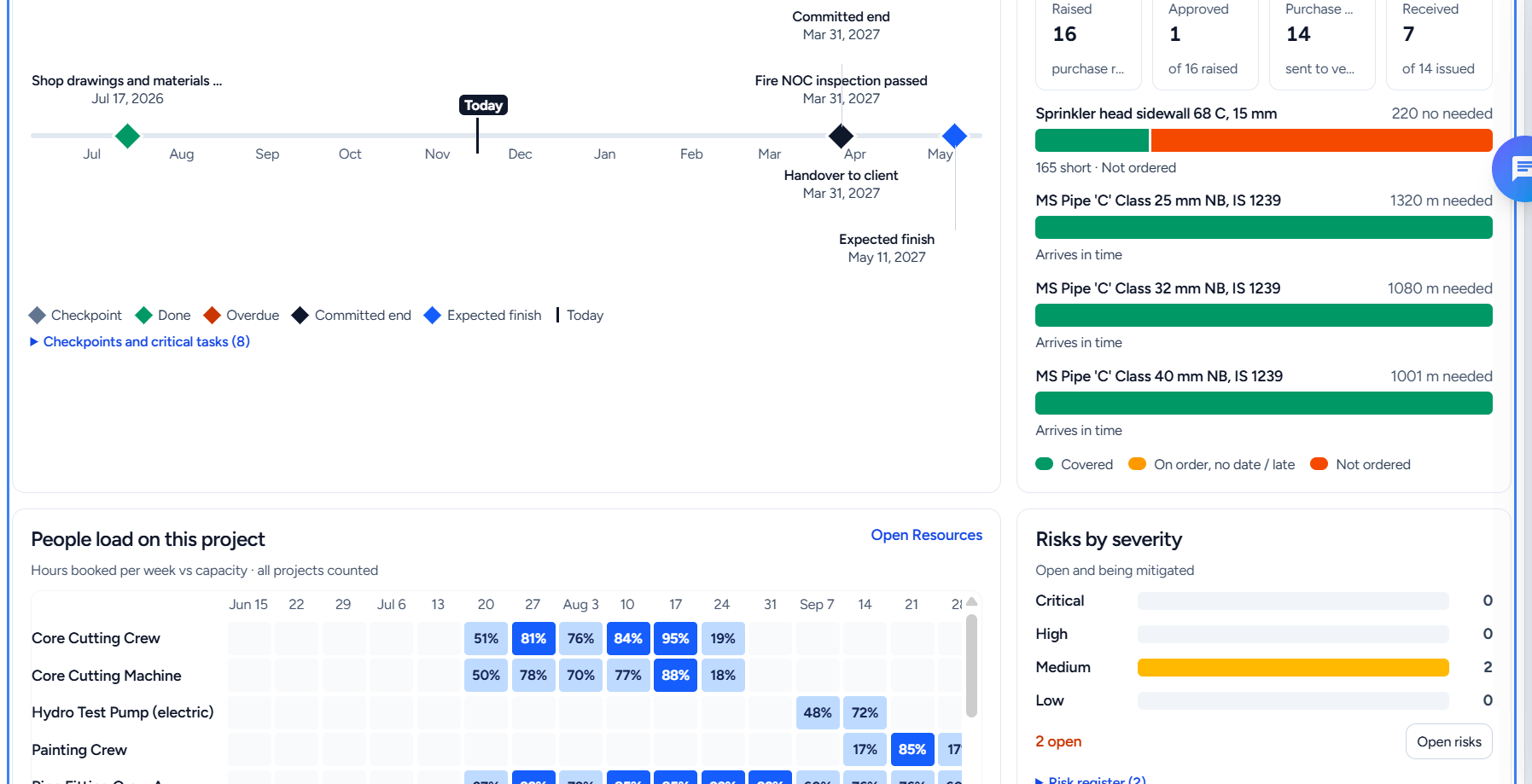
In plain terms: who and what equipment is assigned to which task, across every project at once — so a crew clash shows up before it causes a delay, not after.
A crew gets double-booked, or a task needs a skill nobody assigned to it has — and it's only caught once the task is already running late.
Assigning someone surfaces the conflict — an overlap, a full week, a skill gap, leave — before you confirm it. It never blocks you; it just makes sure you saw it coming.
| W18 | W19 | W20 | W21 | W22 | |
|---|---|---|---|---|---|
| R. Fernandes | |||||
| Crew B (4) | |||||
| S. Pillai |
In plain terms: what each task needs, what's actually in the warehouse, and what's on order — tracked down to the specific item, not just a category.
Stock shortages are usually discovered by the crew that needed the material that morning — not by anyone who could have ordered it two weeks earlier.
Need vs stock vs orders is tracked task by task, with the exact date a shortage starts to bite. Tick it to raise a requisition while there's still time for the order to arrive.
| Date | Movement | Material | Qty |
|---|---|---|---|
| Oct 14 | Received | MCB 32A (3P) | 120 |
| Oct 15 | Issued to task | MCB 32A (3P) | −40 |
| Oct 16 | Wasted — damaged in transit | Cable tray 2m | −3 |
| Oct 16 | Correction of above | Cable tray 2m | +3 |
In plain terms: what's been spent against what was budgeted, updated as work actually happens — not reconstructed once a month from receipts.
Cost gets reconciled in a monthly close, by which point the spend that caused the overrun happened weeks ago and can't be undone.
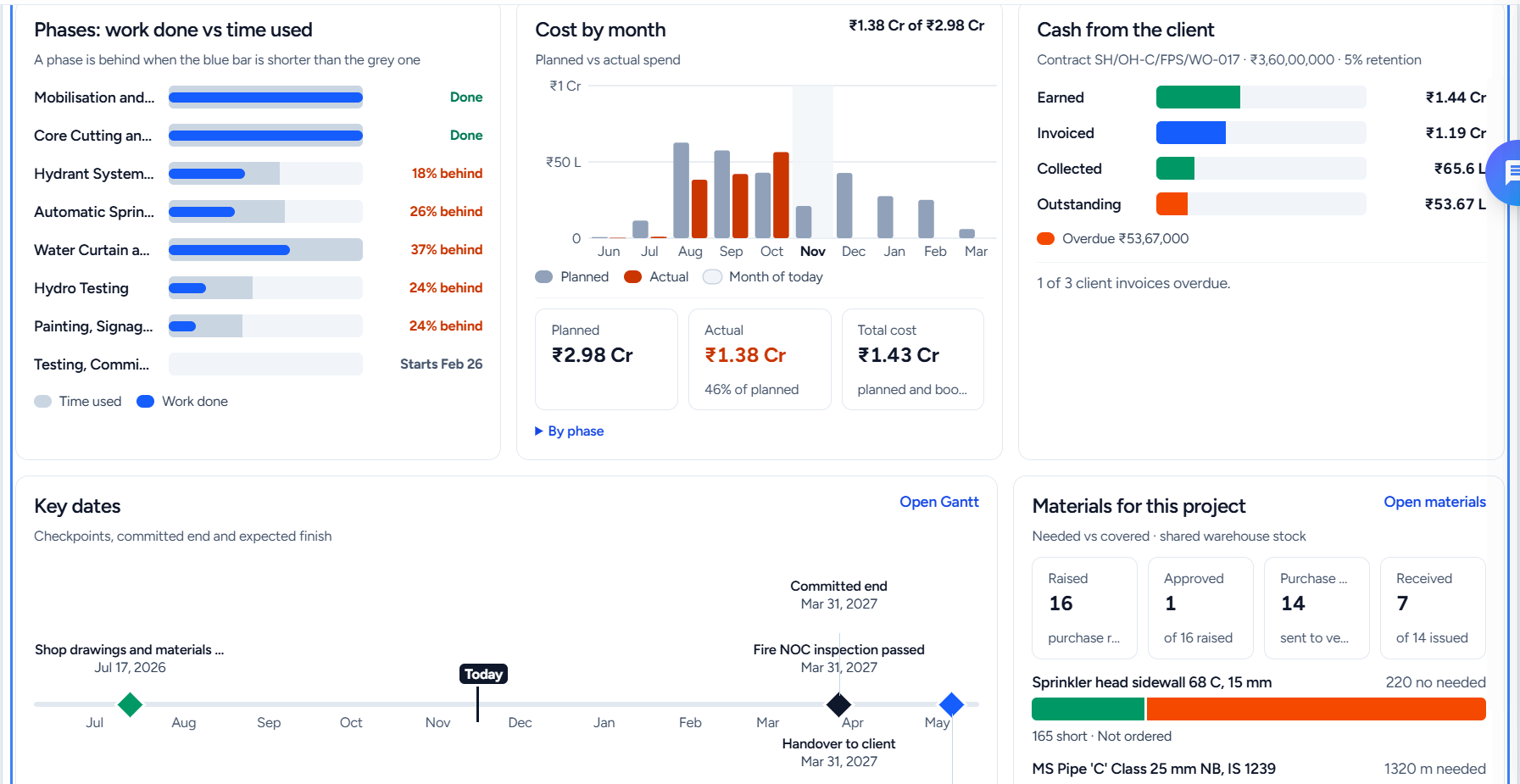
Budget, spend and forecast sit side by side continuously, in plain terms — are you ahead or behind, in both time and money. When cost data is incomplete, the forecast stays cautious and says exactly what's missing, instead of quietly guessing.
In plain terms: turning finished work into an invoice the moment it's actually earned, then following that invoice until the client pays.
Work gets done, but the invoice doesn't go out until someone separately confirms progress and writes it up — so cash shows up weeks after the work that earned it.
A payment milestone is linked to a real task. The moment that task is actually finished, the milestone is ready to invoice — nobody has to ask, and nobody has to remember.
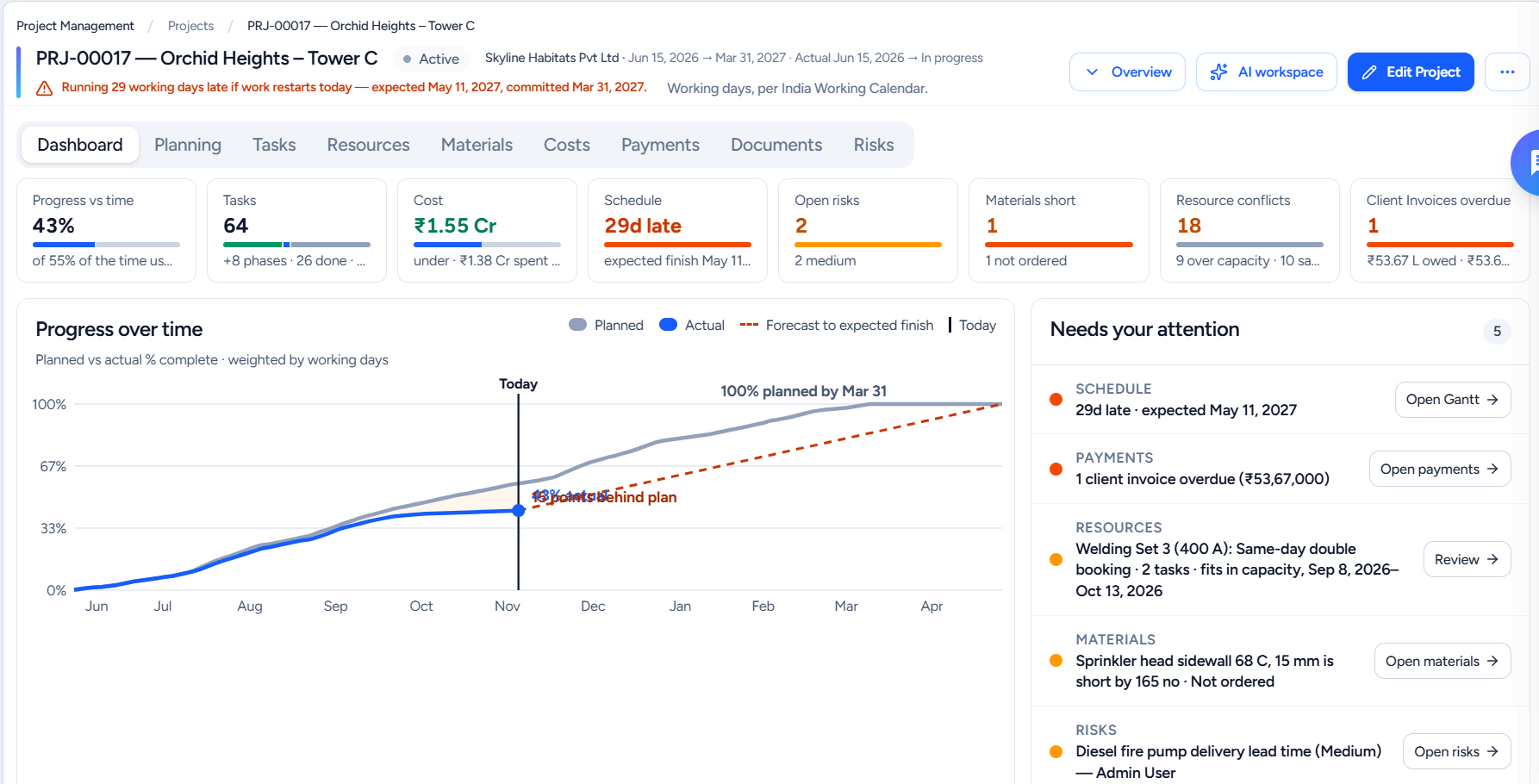
In plain terms: one screen that shows how the whole project — or every project — is doing right now, with the detail behind every number one click away.
A question about a figure — why is this task late, why did this cost jump — usually means starting an investigation from scratch, because the report doesn't show where the number came from.
Every number on the dashboard opens into the exact records behind it. One task's whole story — planned, booked, allocated, issued, used — including every date that moved and why.
In plain terms: what each person can see or do, set by their role — a site engineer and a finance lead don't end up looking at the same screen.
Give every role the same view and either the field team drowns in finance data, or finance can't see enough of the project to do its job.
Each role sees only its own tabs — field, stores, purchasing, finance, management — and that boundary is enforced on the server, not just hidden by the screen.
| Plan | People | Material | Cost | Billing | |
|---|---|---|---|---|---|
| Project manager | |||||
| Site / field | |||||
| Stores | |||||
| Finance | |||||
| Management |
In plain terms: a built-in AI that reads a work order and drafts the schedule, crew plan and material list for you — a person still checks it before anything goes live.
Building the first draft — the schedule, the crew plan, the material list, the payment milestones — from a work order is real work, and someone has to do it before anything else can start.
If you'd rather not start from a blank project, the assistant can read the work order and draft it for you — phases, tasks, dates, people and material needs. It writes nothing until a person checks and approves each step, and it never deletes.
The platform underneath
No replacement. No workarounds. A structured layer that keeps your ERP clean and authoritative.
One path, every project
Every action follows a structured path — tracked, assigned, and completed at every stage.
A work order or contract comes in and becomes the one source the plan is built from — by hand, or with AI drafting the first pass.
The schedule, crew and material needs are checked and approved, step by step, before anything is saved.
A baseline is set. Dependencies and the critical path go live, ready to track drift from day one.
Tasks run. Material is allocated and issued, progress is recorded, and cost is tracked against budget in real time.
A payment milestone's linked task is actually finished — not just reported finished.
The earned milestone becomes ready to bill and goes out — no separate progress update needed first.
Payment is received and reconciled against the contract's own agreed terms.
Everyone is looking at the same live data — just the part of it that's theirs to act on.
Plans the work, tracks the schedule, and acts on a delay while there's still time to recover it.
Vesonix Project Management
No slides — walk through your own schedule, materials and billing on a live call with our team.