Turn incoming documents into controlled business workflows — from capture and extraction through review, approval, and ERP handoff.

Real questions from finance, procurement, and operations teams — and the answers that keep documents moving.
Capabilities
Capture, extract, review, approve, and post — without manual re-entry or lost evidence.




ERP Integration
No ERP replacement. A controlled document review and approval layer that captures, checks, and approves every document before it touches the system of record.
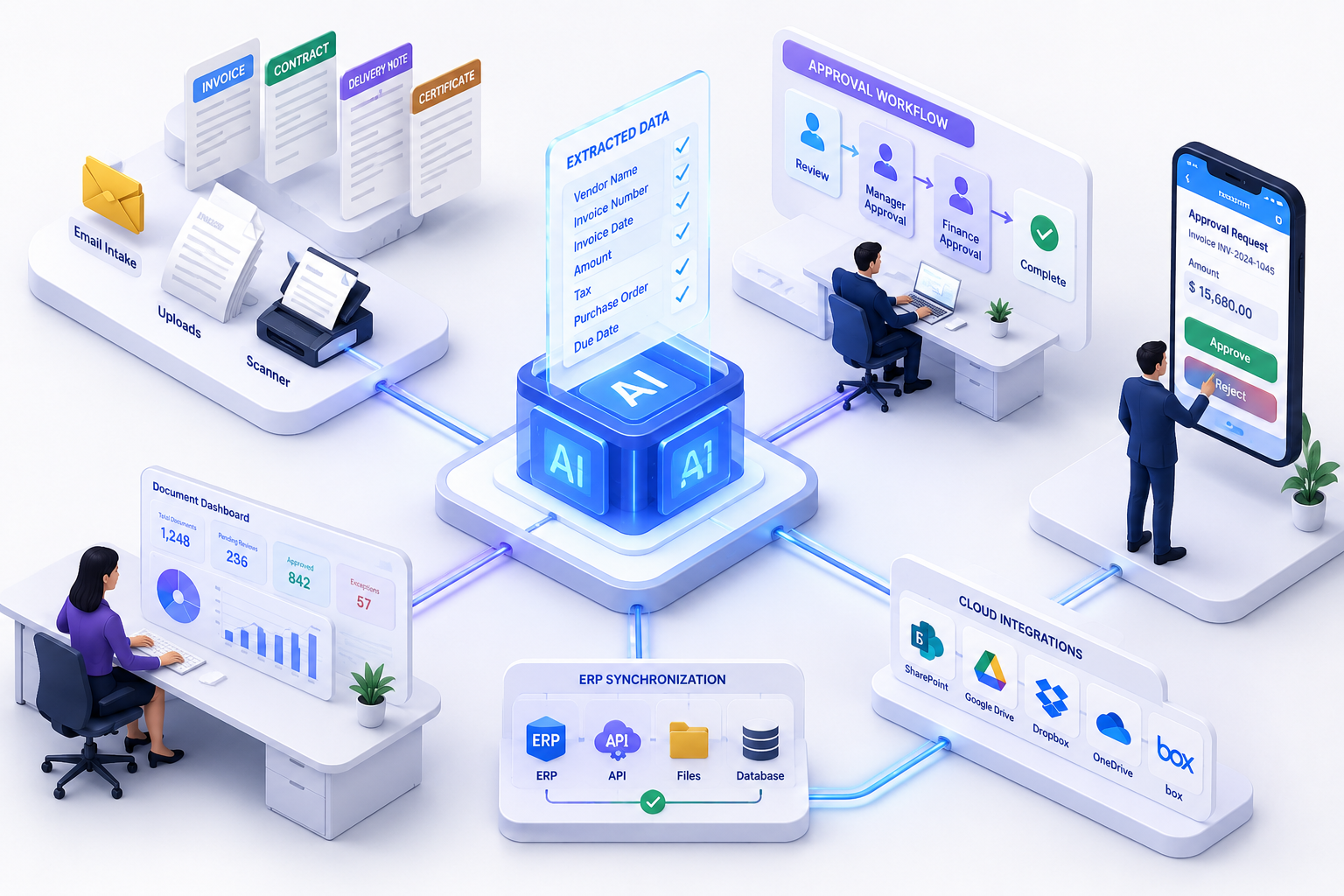
Every incoming document follows a defined sequence — extracted, reviewed, approved, and posted before reaching ERP.
Document received by email, upload, or integration and queued for extraction.
Key fields are pulled automatically; confidence score shown alongside the source document.
Missing fields or mismatches are flagged; a team member checks the source and corrects the data.
Routed to the right approver based on document type, amount, vendor, or department.
Supporting documents and review notes are attached to the record before it moves forward.
Approved data is sent to ERP or exported through API, file, or scheduled sync.
Rejected or sent back for correction, with the reason recorded against the document.
No rip-and-replace. Connect your existing ERP, configure your document types, and start clearing the inbox backlog within weeks.
Tell us about your workflow. We'll walk you through Document Intake and Approval live and show exactly how it fits — no commitment required.
Add your team, map your data, and connect your existing systems. Our specialists configure Document Intake and Approval around your exact workflow.
Operate on real data from day one. As your business grows, Document Intake and Approval scales with you — no rework, no rebuilds needed.
Live Walkthrough
From the moment a document arrives to the moment it is posted to ERP — here is how it moves through the workflow.
An invoice arrives by email or upload.
The vendor, invoice number, PO number, date, tax, and amount are extracted automatically.
The extracted fields appear next to the source document, along with a confidence score.
A mismatch between the invoice and the PO creates a review task automatically.
A finance user checks the source document, corrects the value, and submits it for approval.
The approver reviews and approves it from their phone.
Approved data is sent to the ERP, or made available through an API.
A dashboard shows what's still pending, which documents are stuck in exception, and how long each has been waiting.
Application Preview
Explore the extraction review, approval workflow, and exception dashboard — before your team goes live.


Document Workflow
Capture, extract, approve, and post — without manual re-entry or lost evidence.